(MAMAKAKING)
Hold the button until the tiles are dealt
Turn on the power, press RESET, and then press START and A. Release RESET first and hold START and A until the tiles are dealt. You can start with a tile distribution close to Yakuman's Tenpai.
 JapanRetroGameClub
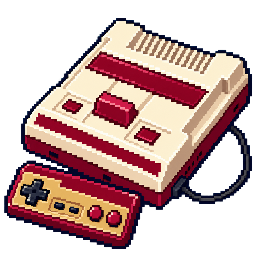
Famicom Tips and Cheats
Turn on the power, press RESET, and then press START and A. Release RESET first and hold START and A until the tiles are dealt. You can start with a tile distribution close to Yakuman's Tenpai.
Immediately after the game starts, press and hold one of the D-pad while dealing tiles. Tiles are dealt faster than usual.
Select a master and an opponent in research mode. When deciding on the third opponent, press A on the I controller and right, A, and B on the II controller at the same time. The master will operate the game in your place.
While playing the game, press and hold B, Down, and SELECT, then press RESET on the main unit. When the screen goes dark, you can select a song using the top and bottom buttons, play it with the right button, and stop with the left button.
Place the cursor on "From the beginning" in RPG mode. While holding down A, B, and right on the II controller, press A on the I controller to confirm. You can start without the opening.
If you codename it 「にちぶつ」, you will start with 200 experience points. If you win the first game with that person, you will immediately rise to level 6.
After entering the password "1357924680" to the end, press A and B at the same time while holding down SELECT. Another World Circuit will be displayed and you can start the game behind the scenes.
Enter "1061130120" and press SELECT, A, and B at the same time. When the input timing is right, the screen switches to the staff screen.
If you enter the password "0073735963", you can start your match against Mike Tyson. Enter both leading zeros.
If you start with "2678537537", your opponent will be Piston Honda. His record includes an unusual record of 89 wins, 2 losses, and 89 KOs.
Start your name with capital letters "ALPHA". Even if you touch Nyajira, your energy will not decrease.
If the title of side A requests side B, wait and do not exchange sides immediately. The English text of the game story is displayed.
First, choose Haggar, and he will be defeated without any interaction, reducing the number of people remaining to 0. If you continue and reselect Cody or Guy, the replaced person will restart at level 3.
In Stage 2 of Round 5, pass the pool and find a restaurant sign. Stand to the left or right side of the signboard and press B to fully recover your life.
In round 2, find a treasure chest containing a balloon. Mighty Power 1 turns it blue, press A 19 times, then jump on top of that treasure chest. The body returns to red, and the box remains closed, with only the balloon inside coming out.
Face toward the ocean and press B to take one step above the water. If you turn in the direction you want to move and press B repeatedly, you can cross the ocean.
After saving, roll the dice once and move. If you open the command screen with SELECT after you finish moving, you can save again. You can perform the same operation every time you move from now on.
On the start screen, press and hold B and press START. The screen becomes distorted and Momotarou becomes invincible, allowing him to pass through walls and forests.
Prepare your own 24-character password. Change the first character to a character moved to the left five times from the original character, change the 13th character to a character moved five times to the right, and enter the rest as is. Increases physical strength by 50,000 points from the original.
If you make the same number of moves to the left and the same number of times to move to the right, your physical strength will increase by 1 for each move. However, you cannot increase your physical strength beyond 100,000 points.
Stand close to the large door leading to Captain Bowes' room on Wolf Island. While pressing up, press SELECT to open the sub screen, and press B to return to the normal screen. By repeating this back and forth, you can gradually enter the door and advance to the room even if you don't have the item to open it.
When you return to the title from Game Over, press START while holding UP. You can continue without entering a password and the items you took will be retained. Your health will be 1000 when you restart.
Defeat the real Great Demon King, and while the blessing message appears, enter "A → B → Up → Down → A → B → Left → Right". The message changes to a hidden message that displays the staff name, etc.
At the title, hold right and press B three times. Next, press up once, press B three times, press left once, press B three times, press down once, input B three times, and finally press START. When the stage display appears, you can select the side with A and B.
Make a note of the password on page 2 that you use for Continue. If you change only the second character one character forward in the character sequence, you can start from the 3rd side, if you move 2 characters forward you can start from the 4th stage, and if you move 3 characters forward you can start from the 5th stage. For example, if the second character is 0, change it to 1, if it is 1, change it to 2, and if the second character is A, change it to B. Leave other characters as they are.
Give Pippi some bread while she's with your friends, and use Pippi's belongings to make crumbs. After that, meet the mayor and say goodbye to Pippi, then immediately visit Pippi's house and receive some breadcrumbs. When the protagonist uses it, the screen turns black and white and he is unable to enter buildings. As you progress through your adventure, try not to use breadcrumbs in this order.
The main character, the girl, and her friends from the Bravura group go to a mountain hut on Holy Lolly Mountain and fight against R.7038. If you use "Fleas and Lice" to prolong the battle and display the message "Can't win" for about 30 to 40 minutes, your party will become invisible.
In that state, return to Valentine's southeast house and talk to the sleeping Brabra Gang boss. Become a party of four.
While moving, repeatedly press the B button on Controller I. This causes the sub-menu to open with every step you take, which significantly reduces the frequency of enemy encounters compared to walking normally.
Move around the dog with your friends, push it out of the fence, and take it further to the right. The dog's appearance changes to a girl. This display change can also occur in Canary Village.
There is a scene in which Honmaru and his friends go to Iyona's house without a present and return. Even if you visit with a present after that, the ending will no longer occur. In normal progression, prepare the presents and then head home.
At the start of the second episode, wait for about a minute without interacting with Honmaru's conversation screen. A picture of Iyona in a swimsuit is displayed.
On the underwater surface, if you touch Takoyaki, Taruruto will cling to it. Even if you don't press the button, you can stay there without floating upwards.
Look for a place on the action stage where two enemies are lined up and blocking a hole. After defeating the two, fall into the hole and enter the hidden room.
Press down to crouch and avoid enemies. If you want to go down to the bottom of the scaffolding, press A while holding down.
Press and hold A, B, SELECT, START, top right of the Ⅰ controller, and A, B, top right of the Ⅱ controller and press RESET. When you enter the preview screen, press A to get the number. Use I for music and II for sound effects, select a number with left and right, and play with A.
Add SELECT/START of I to A/B/top right of both controllers and RESET to open the preview screen. Use the button not used for preview operations to return to the title and start the game. From now on, each time you press A on II, your money will increase by 1000, and each time you press B on II, your level will increase by 1.
On the title screen, press the Ⅰ controller as "Up → Up → Down → Down → Left → Left → Right → Right" and press START to confirm. In test mode, you can use SELECT to switch between ROUND, DEMO, MUSIC, and EFFECT, and use up and down to set the number of planes and sounds.
If you enter the name in capital letters "EBE", it will change to an alien different from the normal selection screen.
If you aim a dart at a fly flying around during the game, it will transform into a different type of alien.
Perform the conditions in the table below with the corresponding character.
| character | manipulation and change |
|---|---|
| macho man | If you throw with maximum power, a high power throw will randomly occur. |
| robot | When you stop all three gauges (left, right, high, low, and power) in the center, extend your arm and stab the dart. |
| monkey | If you hold down B after you have finished throwing, the next throw will be made backwards. |
| alien | After you finish throwing the dart, press A and B at the same time to stop the dart. Use the D-pad to fine-tune the position before throwing. |
Place the cursor on the title "Continue" and press START while holding down the top of the I controller and SELECT. Enter face selection, and press START while holding down SELECT on that screen to move to enemy selection. Press SELECT and START again to switch to sound test.
During a game, press the left of the II controller and SELECT of the I at the same time to display the status screen. When you return to the game with A or B in I, you will be able to see your opponent's tiles.
If you press and hold right and B on the II controller while moving on the field, you can pass through enemy panels without fighting. You can pass through the gate without using the key, but you cannot use it to enter the "fortress" where the commander is.
Connect the Family Basic keyboard to the main unit. In the title, press and hold C or M on the keyboard in addition to A and B on the I controller and press RESET. C will display the color adjustment screen, M will display the monitor adjustment screen.
Start the game, do nothing, get the game over, and record the password. If you replace the first two characters with "FE" or "EF" and re-enter it, you can restart the game in a powered-up state.
Restart with "ZYHWOC6NGR" and go to the sacred flame location. Even if you have already burned all the magic bells, you can burn more. If you press SELECT here, the screen will become distorted and you will see flames flying everywhere.
Clear the game once. A heart will appear where the level is displayed, and you will then be able to play hard mode.
In the title, enter "Down → Down → Up → Up → Right → Left → Right → Left → A → B" on the I controller. As long as the Konami logo appears, it is accepted. Select a song using the D-pad, press B to play, and press A to stop.
Discard weapons and armor while still equipped. The equipment will be gone, but the added attack power and defense power will remain. The normal procedure of removing equipment first and then discarding it would not result in this situation.
You can control the same main character not only in I but also with the D-pad and buttons in II. Even if you input it on the II side, you can move and attack normally.
If you return to the title using Continue three times, a "QUIZ" item will be added. If you select that item with SELECT, you can play quiz mode.
Clear the course by destroying exactly 12 black drums. In the next course, the machine gun has an unlimited number of bullets, and you can fire continuously by holding down the fire button. Bullet speed also increases. This enhancement is lost upon crash.
At the title screen, press and hold B on the I controller. Press A at the moment when P's eyes wink at the third letter from the left of "MAPPY KIDS". If successful, the remaining number of players at the start will be 20.
In the title, enter "Up → A → Down → B → Left → A → Right → A" on the I controller. The last button is also A, so don't replace it with B. Next, hold down SELECT and press START to display the surface selection screen.
Start the game with the main character's name as 「ぴくちゃー」. Press A after the game starts to cycle through the graphics in the game.
If you name it 「あんごうぱす」, you can enter the special mode password even before clearing. After filling all digits with 0, if you continue to enter 0 about 100 times, the display will become distorted.
On the title screen, press and hold A, B, SELECT, and START on the Ⅰ controller, and in that state, RESET. Directly enter encrypted communication mode.
At the title, hold down A and B on the I controller and press SELECT. When you enter the sound test, select a song with left and right buttons and play it with A.
Press SELECT and B on the title. If you continue to hit A and B at the same time without releasing SELECT, you will receive more credits.
Press B to fire a magic bomb flame bullet. As long as you hold B, the bullet will fly straight, and it will split up and down at the point you release it. Change the timing of your button release depending on the enemy's position.
Select "HAHI", "TELL", and 「けいこ」 from the top of the name registration frames and choose your favorite name. By placing the cursor on an item in the displayed window and pressing A, you can select the starting floor and ending of the tower.
During the game, you can increase the life limit by pressing A on the II controller, and recover life by pressing the top. Press right to increase the number of times you can use your weapon, and press B to warp to a nearby door.
At the ending, press B on the II controller while the tower is collapsing. Once the tower is revived, it changes to a collapsed display.
Set the password to 「よいおとききたいなあ」. You can select a song from 14 types from 0 to 9 and A to D on the left and right sides, and press A to play and B to stop.
If you enter the password "JALECO" in capital letters, a message will appear prompting you to solve the riddle yourself.
ⅠPress A, B, START, and SELECT on the controller at the same time. A message appears asking you not to press all the buttons at once, but if you repeat the process, you'll see more than 50 different messages.
Go to a place where there are enemies that can be defeated by your current allies in one blow, and hit A repeatedly. It's easy to level up because you can quickly repeat battles with weaker enemies.
On the title screen, press and hold right, SELECT, and B on the I controller. The screen changes and the staff introduction begins.
For two players, insert I's right side and II's left side, and have Mario and Luigi run facing each other. At the moment when the two people collide, press A on each person at the same time. If the timing is right, both of you can jump to the top step together.